# LcdDisplay
[](https://hex.pm/packages/lcd_display)
[](https://hexdocs.pm/lcd_display/LcdDisplay.html)

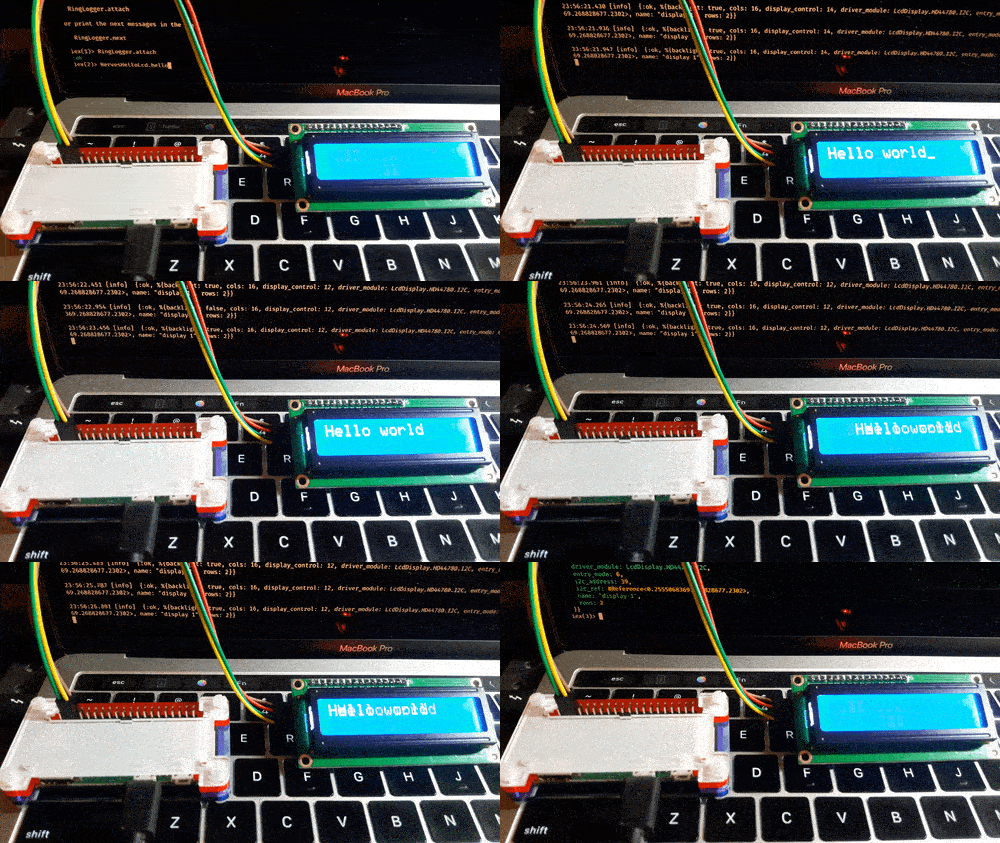
`LcdDisplay` allows you to control a [Hitachi HD44780](https://en.wikipedia.org/wiki/Hitachi_HD44780_LCD_controller)-compatible
[Liquid-crystal display (LCD)](https://en.wikipedia.org/wiki/Liquid-crystal_display) in [Elixir](https://elixir-lang.org/).
For the specification of the HD44780 LCD, please refer to the [HD44780 data sheet](https://cdn-shop.adafruit.com/datasheets/HD44780.pdf).
## Installation
You can install `LcdDisplay` by adding `lcd_display` to your list of dependencies in `mix.exs`:
```elixir
def deps do
[
{:lcd_display, "~> 0.3"}
]
end
```
## Usage
As an example, if you want to control a [Hitachi HD44780](https://en.wikipedia.org/wiki/Hitachi_HD44780_LCD_controller) type display through
the 8-bit I/O expander [PCF8574](https://www.nxp.com/docs/en/data-sheet/PCF8574_PCF8574A.pdf),
you can use `LcdDisplay.HD44780.PCF8574` module as a display driver.
### Start an LCD driver and get a PID
```elixir
driver_config = %{
driver_module: LcdDisplay.HD44780.PCF8574,
i2c_bus: "i2c-1", # I2C bus name
i2c_address: 0x27, # 7-bit address
rows: 2, # the number of display rows
cols: 16, # the number of display columns
font_size: "5x8" # "5x10" or "5x8"
}
{:ok, pid} = LcdDisplay.CharacterLcd.start_link(driver_config)
```
Many configuration values are optional, falling back to default values. Please refer to each display module documentation.
### Run commands
Please refer to the `LcdDisplay.HD44780.Driver` documentation for supported display commands.
```elixir
# Print text
LcdDisplay.CharacterLcd.execute(pid, {:print, "Hello world"})
# Clear the display
LcdDisplay.CharacterLcd.execute(pid, :clear)
# Print a character at a time
LcdDisplay.CharacterLcd.execute(pid, {:print, 0b00110001})
LcdDisplay.CharacterLcd.execute(pid, {:print, 0b00110000})
LcdDisplay.CharacterLcd.execute(pid, {:print, 0b00100101})
```
### Driver modules
Different products out there use different I/O expanders, so please be aware of which I/O expander you are using if you use something like an I2C backpack.
Also the pin assignment between the LCD and the I/O expander is important since this library assumes certain pin assignment based on popular products out there.
#### for parallel I/O
When you connect an LCD standalone directly to the GPIO pins on your target device, the `LcdDisplay.HD44780.GPIO` driver module is useful.
Here are some relevant products:
- [Adafruit Assembled Standard LCD 16x2 - White on Blue](https://www.adafruit.com/product/1447)
- [Adafruit Standard LCD 16x2 - white on blue](https://www.adafruit.com/product/181)
- [Adafruit Standard LCD 20x4 - white on blue](https://www.adafruit.com/product/198)
- [Adafruit RGB backlight LCD 16x2 - black on RGB](https://www.adafruit.com/product/398)
- [Adafruit RGB backlight LCD 16x2 - RGB on black](https://www.adafruit.com/product/399)
#### for PCF8574-based I2C modules
[Many inexpensive I2C modules on Amazon.com](https://www.amazon.com/s?k=i2c+16x2+lcd+module) uses [PCF8574](https://www.nxp.com/docs/en/data-sheet/PCF8574_PCF8574A.pdf). A pre-assembled 16x2 LCD with I2C module is typically less than US$10. [Handson Technology I2C Serial Interface 1602 LCD Module User Guide](http://www.handsontec.com/dataspecs/module/I2C_1602_LCD.pdf) summarizes the typical specifications of the PCF8574-based I2C module.
#### for Adafruit I2C / SPI character LCD backpack
The [Adafruit i2c / SPI character LCD backpack](https://www.adafruit.com/product/292) supports both I2C and SPI interfaces. It uses [MCP23008](https://ww1.microchip.com/downloads/en/DeviceDoc/MCP23008-MCP23S08-Data-Sheet-20001919F.pdf) for I2C and [SN74HC595](https://www.ti.com/lit/ds/scls041i/scls041i.pdf) for SPI as of writing.
#### for other I/O expanders
It is easy to make your own driver modules in case you want a custom pin assignment, a different I/O expander or some custom features.
## Thanks
- [`ExLCD`](https://github.com/cthree/ex_lcd) for inspiration
