# LegionWeb
[](https://github.com/dimamik/legion_web/blob/main/LICENSE)
[](https://hex.pm/packages/legion_web)
[](https://hexdocs.pm/legion_web)
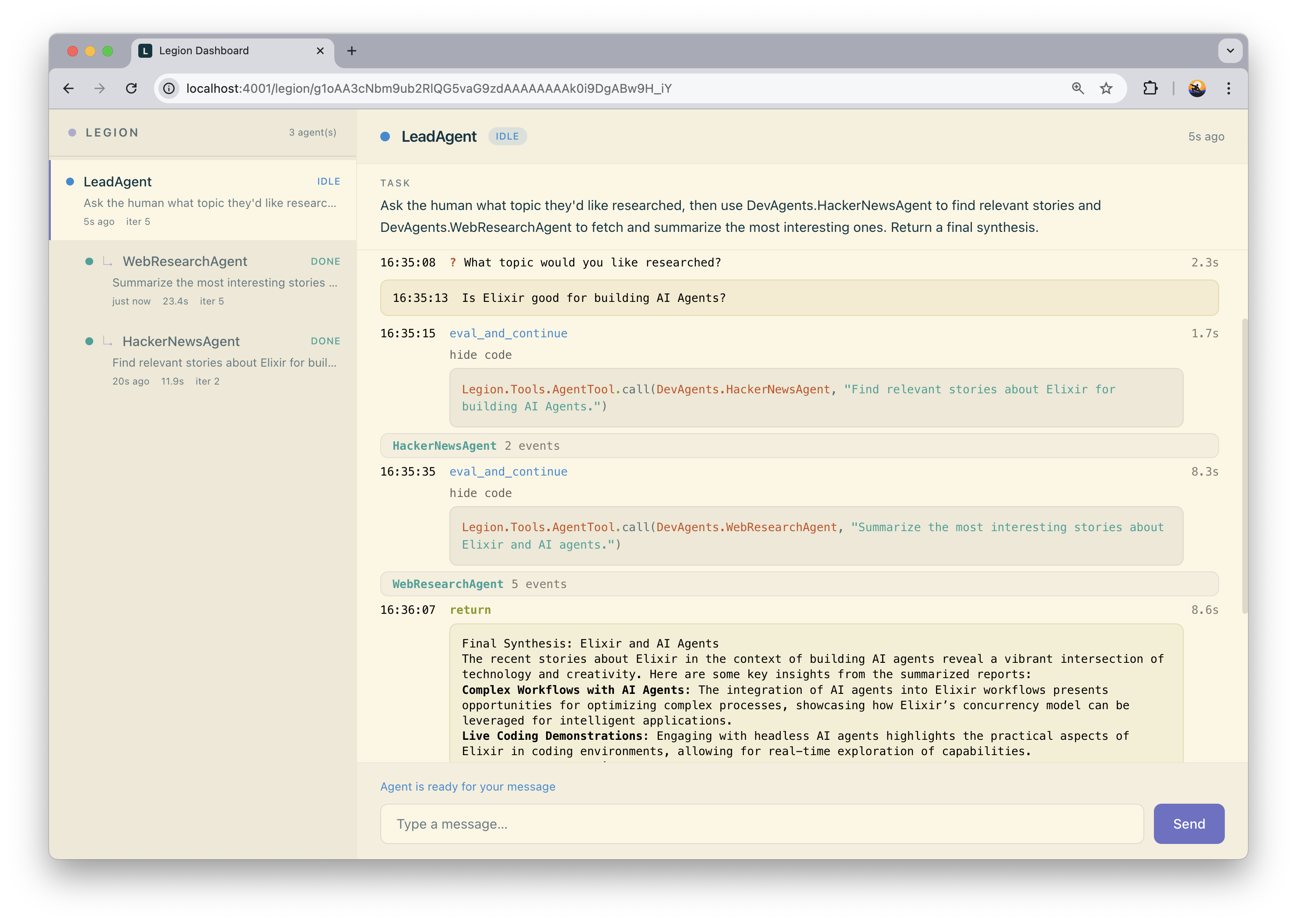
Real-time dashboard for [Legion](https://github.com/dimamik/legion) agents. Shows agent lifecycle, LLM requests, code execution, and results as they happen.
## Installation
Add `legion_web` to your dependencies alongside `legion`:
```elixir
def deps do
[
{:legion, "~> 0.2"},
{:legion_web, "~> 0.1"}
]
end
```
Then run the installer:
```bash
mix deps.get
mix legion_web.install
```
This adds the `LegionWeb.Router` import and mounts the dashboard at `/legion` in your Phoenix router.
### Manual setup
If you prefer to set things up manually (or don't have Igniter installed), add the following to your router:
```elixir
defmodule MyAppWeb.Router do
use Phoenix.Router
import LegionWeb.Router
scope "/" do
pipe_through :browser
legion_dashboard "/legion"
end
end
```
That's it. Start your app and visit `/legion` to see the dashboard.
### Securing the dashboard
In production, make sure to protect the route with authentication. The dashboard exposes agent internals, LLM requests, and code execution traces.
```elixir
scope "/" do
pipe_through [:browser, :admin_auth]
legion_dashboard "/legion"
end
```
If you use `mix phx.gen.auth`, `pipe_through [:browser, :require_authenticated_user]` works out of the box.
## Development
To run the standalone dev server:
```bash
cd legion_web
mix deps.get
mix dev
```
This starts a Phoenix server at http://localhost:4001/legion with demo agents (math, text, and a coordinator) that you can interact with.
Requires an LLM API key — create a `.env` file:
```
OPENAI_API_KEY=sk-...
```
## License
MIT — see [LICENSE](LICENSE).
